Table of Contents
ToggleA driveway alarm is one of the simplest ways to extend your home’s security perimeter beyond the front door. The Hosmart driveway alarm combines wireless range, easy installation, and practical alerting without the complexity or cost of a full security system. Whether you’re monitoring a long rural driveway, watching for package deliveries, or adding a layer of awareness around your property, this guide walks you through what these devices do, how to set them up, and how to keep them working reliably season after season. If you’re a hands-on homeowner who likes knowing exactly what’s happening at the edge of your property, read on.
Key Takeaways
- A Hosmart driveway alarm is a wireless motion detection system that alerts you when vehicles, people, or animals approach your property, with no wiring, subscriptions, or professional monitoring required.
- Installation takes minutes with no special tools—just insert batteries, mount the outdoor sensor 3–5 feet high at a 30–40 degree angle, pair it with the indoor receiver, and test the range to ensure reliable coverage.
- Real-world wireless range typically reaches 50–80 meters in open ground, but walls, vegetation, and metal structures reduce effective distance, so optimal placement of both sensor and receiver is essential.
- Passive infrared (PIR) technology with adjustable sensitivity lets you tune out small animals and passing cars, preventing false alerts from wind-blown vegetation or weather changes.
- Seasonal battery checks every 6 months and lens cleaning are the only maintenance needed; cold weather may temporarily reduce range, but most issues resolve with fresh batteries or sensitivity adjustments.
- A Hosmart driveway alarm works best for rural properties, long driveways, package delivery monitoring, and layered security awareness, complementing other home security measures without the cost or complexity of full systems.
What Is A Hosmart Driveway Alarm?
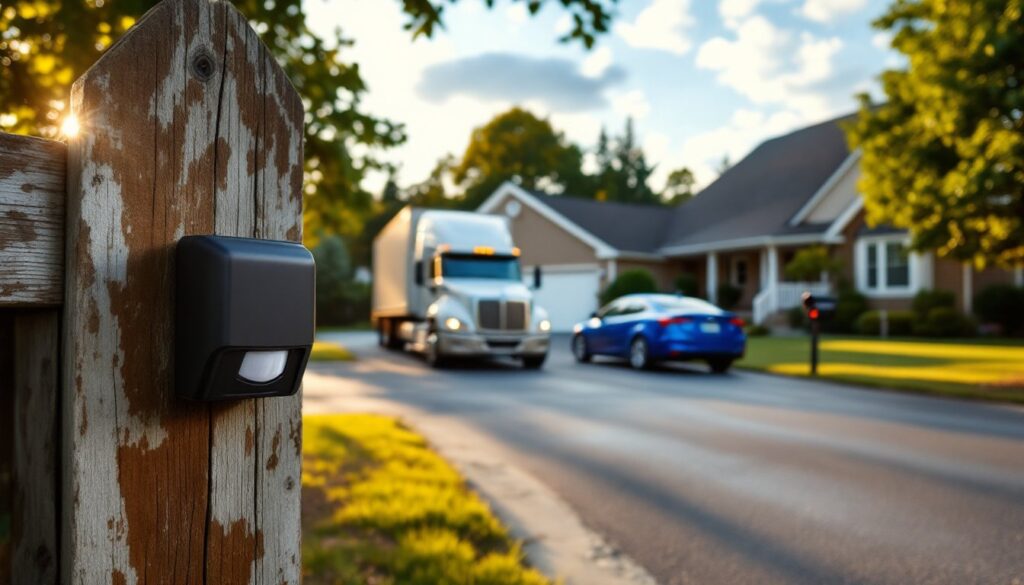
A Hosmart driveway alarm is a wireless motion detection system designed to alert you when a vehicle, person, or animal crosses the sensor area. It consists of two main parts: an outdoor motion sensor (placed at the end of your driveway or property line) and an indoor receiver unit (plugged into a wall outlet or powered by batteries inside your home). When motion is detected, the receiver emits a loud alert tone, typically 85 to 110 decibels, depending on the model. Unlike traditional door sensors, driveway alarms don’t require any wiring: they communicate via radio frequency, making them perfect for renters, temporary installations, or anyone who wants to avoid drilling holes and running cables. These alarms aren’t connected to monitoring services or the internet, so they work completely offline. That’s a pro and a con: you get privacy and reliability, but you won’t receive alerts on your phone when you’re away from home.
Key Features And Specifications
Most Hosmart driveway alarm models operate on a 100-meter (328 feet) wireless range, though actual range depends on obstacles like trees, walls, and metal structures. The sensor typically uses passive infrared (PIR) technology, which detects heat signatures from moving objects. Sensitivity is adjustable, letting you tune out small animals or passing cars if you prefer, a feature that saves sanity during thunderstorms or when raccoons patrol your yard. Battery life for the outdoor sensor usually runs 12 to 18 months on two AA or AAA batteries, while the receiver is AC-powered. Some models include a chime mode (gentle ding-dong) and an alarm mode (loud beeping), both selectable via a button on the receiver. The alert volume is adjustable, and many units let you cycle through 36 different chime tones, so your driveway alarm doesn’t sound identical to your doorbell or microwave.
Wireless Range And Sensor Technology
The 100-meter wireless range is advertised, but real-world performance typically peaks between 50 and 80 meters in open ground. Walls, thick vegetation, and metal fencing reduce effective range, sometimes significantly. If your sensor and receiver are separated by more than a couple of walls, you might experience dead zones where motion is detected but the signal drops out. Mounting the sensor at least 3 to 5 feet high and keeping the receiver in a central location (not tucked in a far corner) helps maximize signal strength. The PIR sensor is sensitive to rapid temperature changes, so avoid placing it directly in sunlight or where it will face a heat source like an air conditioning vent. During installation, wait 30 to 60 seconds after powering on the sensor before moving it: this “learning” period helps the sensor establish a baseline temperature and reduces false alerts.
Installation And Setup Process
Installation is straightforward and requires no special tools. Start by inserting batteries into both the sensor and receiver (alkaline batteries are more reliable than rechargeables for outdoor sensors). Plug the receiver into an outlet inside your home, within a few feet of where you want to hear the alert. Power on the receiver: the indicator light should glow steady or blink slowly. Next, place the sensor at your driveway entrance, mounted on a fence post, pole, or adhesive bracket at a height of 3 to 5 feet. Do not point it at the ground: angle it slightly downward at roughly 30 to 40 degrees to catch passing vehicles and foot traffic. Power on the sensor and wait 60 seconds for it to initialize. Walk across the sensor’s field of view: if the receiver chirps or beeps, the pairing is active and working. If not, press the pairing button on the receiver and then press it on the sensor within 30 seconds. The units should now communicate. Test the range by walking the sensor signal path, front driveway to your home, to confirm alerts trigger reliably throughout the area. Adjust sensitivity using the dial on the sensor body (labeled “LOW,” “MID,” “HIGH”) based on your needs. High sensitivity works well for open driveways: mid or low is better if you’re near a busy road or have a lot of vegetation movement. Once set, leave it alone, seasonal changes and plant growth can shift performance, but frequent tweaking usually makes things worse.
Practical Uses For Homeowners And DIY Enthusiasts
A Hosmart driveway alarm shines in several real-world scenarios. If you live on a long rural driveway, you get an audible heads-up whenever someone approaches, mail carriers, package delivery, unexpected visitors, or wildlife. Homeowners with detached garages or workshops use it to monitor foot traffic to those structures without running power or ethernet cables. During home renovation projects, a driveway alarm helps track material deliveries and contractor arrival times, so you’re not caught off-guard or wasting time waiting outside. For families with young children or elderly relatives who wander, a driveway sensor near the property line adds a layer of awareness without being intrusive. Remote property owners benefit too: while the system doesn’t send smartphone notifications, a driveway alarm demonstrates active monitoring if a professional security assessment or insurance review is necessary. Property managers and rental homeowners use them to log entry activity before tenants arrive or during maintenance visits. Unlike full home alarm systems, home door alarm solutions often work in tandem with driveway alarms to create a layered security awareness. Keep in mind: this is a detection and alert tool, not a deterrent or access control system. It won’t prevent break-ins, but it tells you something is happening.
Maintenance And Troubleshooting Tips
A Hosmart driveway alarm requires minimal upkeep, but a few seasonal checks keep it running smoothly. Check batteries every 6 months: outdoor sensors drain batteries faster in cold weather. Replace them with fresh alkalines, don’t wait until the sensor stops reporting. Inspect the sensor lens for dirt, leaves, dust, or spider webs: a quick wipe with a dry cloth or soft brush restores sensitivity. If alerts suddenly drop off or become erratic, the first step is always battery replacement, followed by lens cleaning. False triggers often stem from sunlight hitting the lens, vegetation in the sensor’s field of view, or a sensitivity setting that’s too high. Adjust the sensitivity dial downward and trim back any plants or branches that wave in the wind near the sensor. If the sensor and receiver stop communicating, re-pair them: press the pairing button on the receiver, then the sensor within 30 seconds. If that doesn’t work, ensure both devices have fresh batteries and are within range. Extreme cold can temporarily reduce wireless range: don’t panic if winter brings weaker signal performance. Most issues resolve with a battery swap or sensitivity adjustment. According to recent guides on home security alarms, routine maintenance extends lifespan and prevents user frustration. For permanent outdoor installation, consider a weatherproof enclosure or solar-powered battery charger to reduce maintenance frequency and improve reliability.
Conclusion
The Hosmart driveway alarm is an affordable, low-maintenance way to add awareness to your property’s perimeter. It’s ideal for rural properties, long driveways, and situations where running wired security infrastructure isn’t practical. Install it yourself in minutes, mount it once, and enjoy years of reliable motion detection without subscriptions or professional monitoring fees. Combined with other home security measures, a driveway alarm rounds out your overall home awareness. Whether you’re guarding a workshop, tracking deliveries, or simply wanting to know when someone’s approaching, this practical tool earns its place in any homeowner’s DIY security toolkit.