Table of Contents
ToggleIf you’ve got an old ADT alarm system sitting in your home, you’re likely wondering whether it’s still pulling its weight, or just collecting dust on the wall. Older ADT units, especially those installed in the ’90s or early 2000s, have proven reliable over the years, but they weren’t built to last forever. Batteries wear out, wiring corrodes, sensors drift out of sensitivity, and technology simply moves on. The good news: you don’t necessarily need to tear everything out and start fresh. With some basic troubleshooting, maintenance, and honest assessment, you can extend the life of your system, patch problem areas, or make a smart upgrade decision. This guide walks you through what you’re working with, where things commonly fail, and how to decide what comes next.
Key Takeaways
- Backup batteries in old ADT alarm systems typically degrade within 5–7 years and are the most common failure point; replacement costs $30–$80 and is the quickest fix.
- Test your old ADT alarm system’s sensors and wiring in test mode by opening doors/windows and walking near motion detectors to identify problems before they fail during an emergency.
- Repair your legacy ADT system if only the battery or individual sensors are failing and repair costs stay under $200–$300, which can extend its life another 3–5 years.
- Upgrade to a modern home alarm system if your old ADT unit uses obsolete cellular technology (2G/3G), experiences repeated failures, or you want smart home integration and mobile app control.
- Regular maintenance like checking magnet alignment, tightening terminal connections, and inspecting wiring in attics can significantly extend the operational life of an aging ADT system.
Understanding Your Legacy ADT System
Common Components of Older ADT Installations
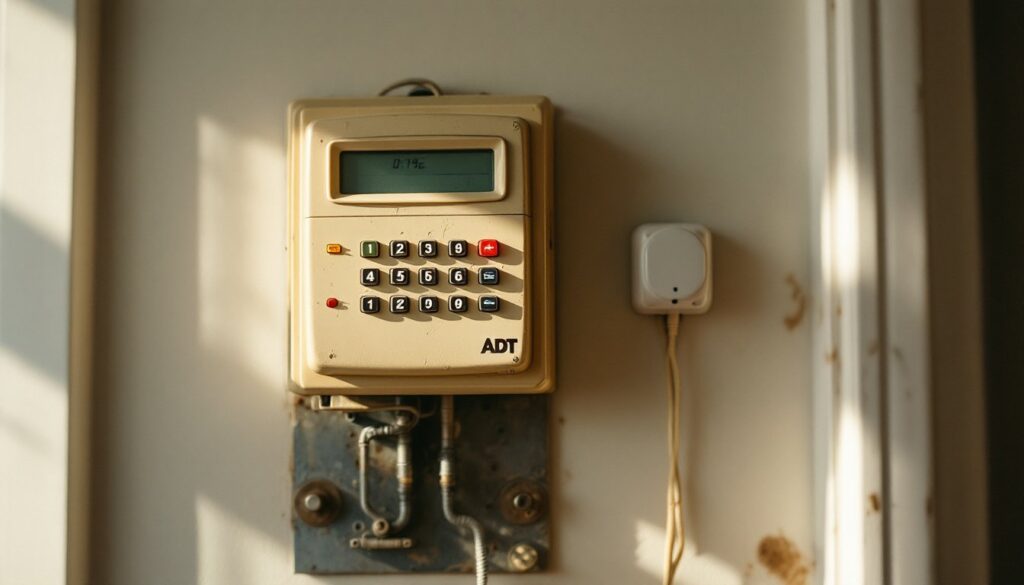
Older ADT systems follow a straightforward architecture: a control panel (the brains of the operation), door and window sensors, motion detectors, a backup battery, and a dialer module that communicates with the monitoring center. The control panel is typically a small, wall-mounted box with a numeric keypad, an LED display, and a speaker. Inside are circuit boards, transformers, and a rechargeable battery pack, usually a 6V or 12V sealed lead-acid battery.
Door and window sensors consist of two parts: a magnetic switch on the frame and a magnet attached to the door or window itself. When they separate, a circuit breaks and triggers the alarm. Motion detectors use passive infrared (PIR) technology to detect body heat: older models are less sensitive than modern ones and often have dead zones.
The backup battery keeps the system armed and able to call the monitoring center if power fails. Many older systems also include a phone line connection (now largely obsolete) or an older cellular backup module. Understanding these core pieces helps you spot what’s aging and what’s still solid. wired home alarm systems resources to learn more about system architecture and how modern alternatives compare.
Common Issues With Aging ADT Systems
Battery Degradation and Backup Power Failures
The backup battery is almost always the first casualty. Sealed lead-acid batteries typically last 5–7 years if properly maintained, but in dusty attics or humid basements, they degrade faster. If your system doesn’t beep when you disarm it, or the keypad display flickers or goes dim, the battery is likely on its way out.
You’ll notice backup power issues most clearly during a power outage: the system goes silent because it can’t power the siren or call out. Many homeowners discover this the hard way. The fix is straightforward, a replacement battery costs $30–$80 depending on voltage and capacity, but some systems are finicky about recharging cycles.
Other common failures include stuck or sluggish sensors. Door and window contacts can become corroded, especially in humid climates, causing false alarms or failing to trigger at all. Wiring degradation is also common: old speaker wire and sensor wiring can fray, short, or lose conductivity over time, particularly in attics where temperature swings and rodent activity take a toll.
Motion detectors drift out of alignment or lose sensitivity, and cellular backup modules fail because they use outdated networks (some carriers shut down 2G and 3G, making those modules worthless). Check home alarm system battery maintenance tips for detailed guidance on extending battery life and recognizing warning signs.
DIY Troubleshooting and Maintenance Tips
Testing Sensors and Checking Wiring Connections
Start with a visual walk-through. Look at each door and window sensor: if the magnet is visibly loose or the contact is cracked, replace it (usually $10–$20 per sensor). Check that wires aren’t crimped in door frames or exposed to moisture.
Testing sensors is simple:
- Disarm the system and enter test mode (your manual will specify the keypad sequence: most use something like [*] + code).
- Walk near each motion detector: the keypad should register motion without triggering the alarm.
- Open and close each door and window: the panel should log each sensor activation.
- If a sensor doesn’t register, check the magnet alignment first, sometimes it just needs a gentle nudge.
For wiring issues, look for exposed copper, brittle insulation, or rodent damage along runs in the attic or basement. If a sensor wire looks compromised, you can splice it with a small terminal connector or replace the whole run. This isn’t complicated, but it’s tedious: use a terminal block (about $5 at any hardware store) to join wires safely, then tape the joint and secure it so it won’t pull loose.
Battery testing requires a multimeter. Set it to DC voltage, connect the leads to the battery terminals, and check the reading, it should match the system’s design (usually 6V or 12V). If it reads more than a volt below spec, replace it. If it reads lower after sitting for a week, the battery is holding no charge and definitely needs replacement.
Inspect all visible wiring connections at the control panel and sensors: tighten any loose terminals with a small flathead screwdriver. Corroded contact points can be gently cleaned with a dry brush or fine-grit sandpaper, but if corrosion is heavy, replace the component.
For a comprehensive look at how modern systems compare, review home alarm repair options in your area and consider getting a professional assessment if your DIY checks reveal significant degradation.
Should You Repair, Replace, or Upgrade?
The decision depends on three factors: cost of repair, reliability of the system, and your long-term security goals.
Repair makes sense if:
- The only issue is a dead battery or a single bad sensor.
- The control panel itself still powers on and communicates with the monitoring center.
- You’re planning to stay in the home another 5+ years and don’t mind occasional maintenance.
- Repair costs stay under $200–$300.
Replace the battery and sensors (typically $150–$400 total) and you’ve bought another 3–5 years of service. This is the sweet spot for most homeowners.
Upgrade is worth considering if:
- The control panel is failing or the system uses obsolete cellular technology (2G/3G).
- You’re experiencing repeated sensor failures or mysterious false alarms.
- You want integration with smart home devices, mobile app control, or video cameras.
- Your monitoring contract is expiring and you’re considering alternatives anyway.
Modern systems from providers like AT&T Home Alarm and Ring Home Alarm System offer wireless installation (no rewiring), smartphone control, and better battery life. Expect to pay $300–$800 upfront for equipment, plus monthly monitoring fees ($15–$50 depending on the provider).
But, upgrading isn’t mandatory. If your old ADT system is working and your monitoring contract is active, keeping it operational is the budget-conscious choice. According to Digital Trends, many homeowners successfully operate 10+ year old systems after basic maintenance.
If you’re on the fence, ask yourself: Does the system arm and disarm without errors? Do all sensors respond in test mode? Is the battery holding charge? If you answered yes to all three, repair and maintain. If any are shaky, upgrade sooner rather than later, a dead system in an emergency costs far more than a new one.